


|
|

This chapter provides the following instructions and information:
 | Caution Before installing the MGS in a rack or wiring closet, read the "General Site Requirements" section in Chapter 2 to familiarize yourself with the proper site and environmental conditions. Failure to read and follow these guidelines could lead to an unsuccessful installation and possible damage to the chassis power supply and components. |
Following is the procedure for attaching the rack-mount kit and installing the MGS in a rack or wiring closet. If rack-mounting is not required, proceed to the section "MGS and C Chassis Installation." The following procedure requires a medium-sized flat-blade screwdriver, the medium-sized slotted screws and rack-mount flanges (provided), rack-mount screws (user-supplied), and a suitable screwdriver to install the rack-mount screws.
This procedure may require two people: one to hold the chassis and one to attach the rack-mount screws to the rack. The rack-mount kits will first be attached to the chassis, and then the MGS chassis will be attached to the rack.
Step 1 Place the chassis on a stable surface with the front panel (with LED) facing you.
Step 2 Attach one rack-mount flange to each side of the chassis with the screws provided.
Step 3 Using the user-supplied rack-mount screws, mount the chassis in the rack or wiring closet, observing the site requirements in the "Preventive Site Configuration" section in Chapter 2.
| Caution Chassis can be rack mounted with tops and bottoms flush to each other; however, this is not recommended because overheating can result. |
Step 4 Proceed to the section "Making External Connections" to attach external interface cables to the chassis rear panel.
To slide mount the MGS chassis, refer to the procedure described in the configuration note
(Installing the Slide-Mount Kit on the M Chassis--Document Number 78-1007-01) that accompanied the slide-mount kit. If slide mounting is not required, proceed to the section "MGS and C Chassis Installation."
This installation procedure requires two people: one to hold the MGS chassis and one to attach the chassis to the rack. The slide-mount hardware first will be attached to the chassis, and then the
MGS (with slide-mount hardware installed) will be attached to the rack.
After installing the slide-mount kit, proceed to the section "Making External Connections."
The installation of the chassis is greatly simplified if no rack, slide, or wiring closet mounting is required. Following are guidelines for this general installation:
The following sections discuss the basic cable requirements for the MGS and C chassis installation. After ensuring that these requirements are met, refer to the section "Interface Connectors" for the cable descriptions that apply to your configuration.
Following are the two types of terminal connections available on the chassis rear panel.
The console port is used to connect the chassis to the terminal you will be using. The external connection for this is located in the center of the rear panel of the chassis (with the chassis rear facing you) and is labeled Console. This data communications equipment (DCE) port uses a female DB-25 connector and requires a standard RS-232 cable with at least one DB-25 male connector for attachment to a DTE terminal device. Before connecting the console port, check your terminal's documentation to determine the baud rate of the terminal you will be using. The baud rate of your terminal must match the default baud rate (9600 baud, 8 data bits, no parity, 1 or 2 stop bits) of your MGS or C chassis. If you have not verified the baud rate of your terminal, check its documentation. The pinout for the console port is given in Appendix A, "Cabling Specifications."
The auxiliary port is an option on the chassis. If present, it is located adjacent to the console port. The port is labeled Auxiliary and provides an asynchronous data terminal equipment (DTE) connection for a local or remote terminal or modem. The communication requirements are 9600 baud, 8 data bits, no parity, 2 stop bits. This port uses a male DB-25 connector and requires an RS-232 cable with at least one DB-25 female connector. The pinout for the auxiliary port is given in Appendix A, "Cabling Specifications." Attaching a DTE device to this port requires a null-modem cable.
The following general guidelines for the MGS and C chassis will assist you in properly connecting the external network cables to your chassis:
After installing all of the rear-panel cables, you can begin the configuration of the router by using the optional getting started guide publication. If the chassis fails to operate in the manner specified, refer to Chapter 4, "Troubleshooting the Initial Hardware Configuration," to help isolate the problem, and then notify a customer service representative.
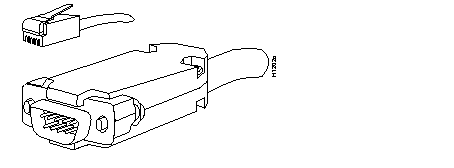
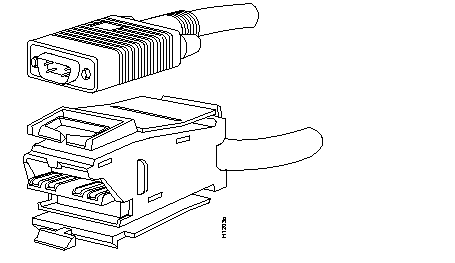
This section includes illustrations of the connectors used with the MGS and C chassis interfaces. Use these illustrations to correctly identify the network-interface connections you will make to the rear-panel appliques on the chassis.
The connectors illustrated include the following:
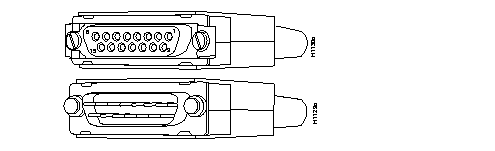
The HD V.35 cable is available in four models: DTE male to male, DTE male to female, DCE male to male, and DCE male to female. The chassis connector (shown at the top of Figure 3-2) is always a male HD-26 connector, while the network end can be a male or female Winchester-type 34-pin connector.
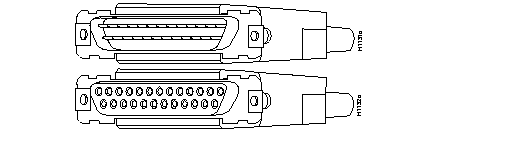
The RS-232 male (DCE) connector is used for the console port, while the female (DTE) connector of the RS-232 cable is used for the auxiliary port (if installed) on the chassis. (See Figure 3-3.)
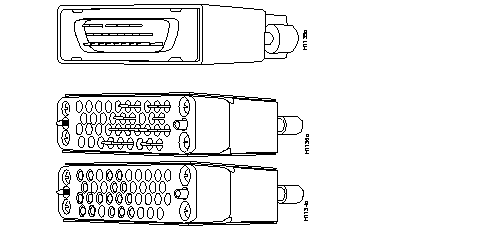
The Token Ring interface connectors (shown in Figure 3-5 and Figure 3-6) can be used only with the MGS and CGS chassis platforms.
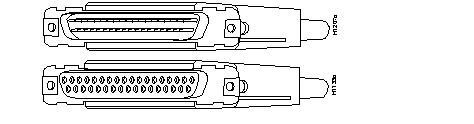
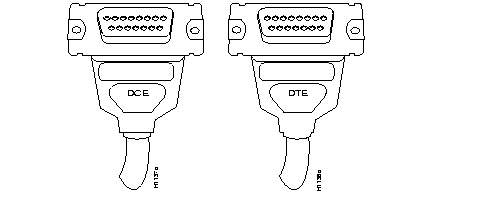
Both ends of the X.21 cable (shown in Figure 3-7) are female and labeled with a DCE or DTE designation.
|
|
