


|
|

This appendix describes the menus and commands of the HP OpenView topology toolsets. You access these tools by invoking the ovw command after starting StrataView Plus core processes.

| Desktop | Use this menu to launch the SV+ Desktop icons. 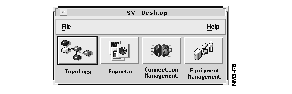 |
| Equipment Mgr | Use this menu to present the Equipment Manager window.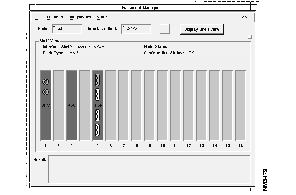 |
| Node Resync | Use this menu to upload configuration information to a selected AXIS node. |
| Image Download | Use this menu to download a selected software and/or firmware version for use within the selected network topology node (AXIS). |
| Display Shelves | Highlight an AXIS node on the topology map when using this command to view the feeder node in your network. |
| Create Group | Select two or more nodes in the topology map to use this menu. A group icon appears on the topology map when this operation is complete. |
| Add Node to Group | Highlight a group and a selected node to bring the selected node into the group with this command. |
| Remove Group | Highlight a group to remove its icon from the network topology map, and to redistribute its objects onto the map. |
| Remove Node From Group | Highlight a group, chose a node from the resultant submap, and use this command to remove it. |
| Remove INS Station | Highlight an INS icon and use this command to remove it from the topology map. Using the delete object command from the Edit submenu will not delete INS objects. |
| Telnet (SV) | Use this menu to present a telnet command window. |
|
|