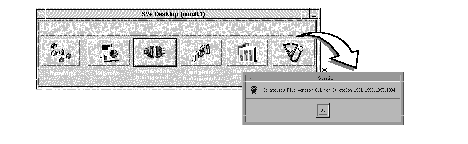
This chapter describes how to access help from the StrataView Plus BPX/IPX help function, the HP OpenView help function, and the SV+ Desktop help function.
Using BPX/IPX Help
The StrataView BPX/IPX Help feature provides on-line help for using BPX/IPX commands. The BPX/IPX Help window is automatically displayed when StrataView Plus is started. You can iconize it and then restore to a window as needed. A FrameViewer application icon is also present at the top of the workstation screen. This can be used to bring up a second screen, should you want to maintain two screens.
Note When using a StrataView Plus workstation, you enter BPX/IPX commands via the Node Administration window. The commands are then executed by the BPX/IPX system software.
When StrataView Plus is running, on-line help for the StrataCom BPX/IPX commands is available by clicking the BPX/IPX Help icon. To use the BPX/IPX Help feature:
- Click on the BPX/IPX Help icon to display the IPX Help Menu.
- Press the On-Line Help Instructions button. This starts you off with instructions on how to use the BPX/IPX Help program. If you are already familiar with using the program, you can click on the other button menu items, as desired.
- When finished, you can shrink the BPX/IPX Help program back to an icon, by clicking on the second small box from the right at the top of the menu. The BPX/IPX Help window is shown iconized, but on start-up it is open. It can be shrunk to an icon by clicking on the minimize button in the upper right hand corner.
Figure 11-1: BPX/
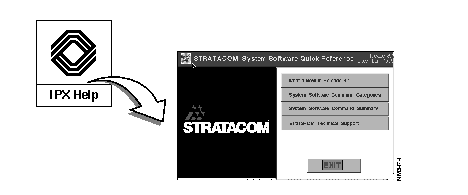
IPX Help Window
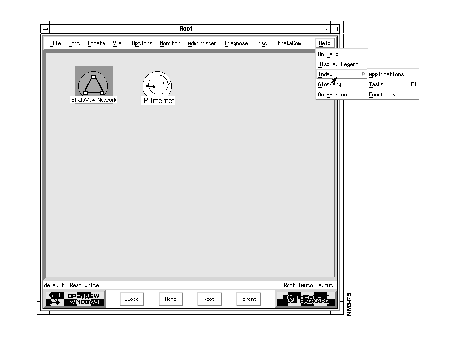
An example of the HP OpenView Help window is shown in Figure 11-2.
Figure 11-2: HP OpenView Help
The StrataView Plus Help button is located on the Desktop, as shown in Figure 11-3.
Figure 11-3: StrataView Plus Desktop and Help Button