


|
|

This manual describes how to install, troubleshoot, and repair an IGX node running Release 8.5 of the System Software. In addition to the chapters that provide these descriptions, the appendices describe operational parameters, supported peripherals, cabling, and the types of support that Cisco StrataCom offers.
The IGX is available as the IGX 8, IGX 16 or IGX 32. It can be rack or cabinet mounted. Figure 1-1 illustrates the IGX 8 mounted in a cabinet.
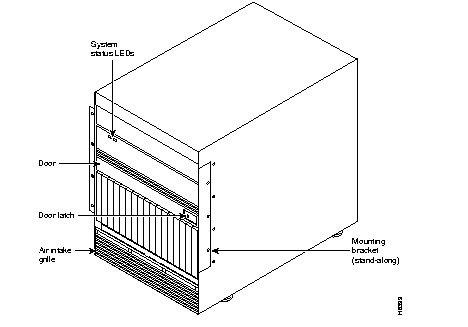
Figure 1-2 illustrates an IGX 16 mounted in a cabinet.
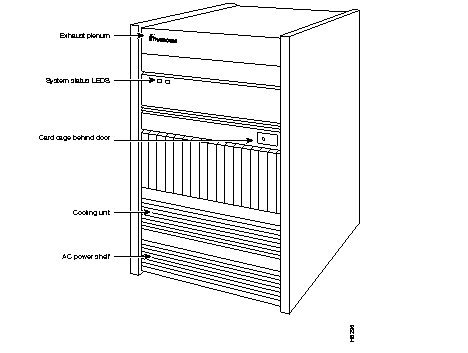
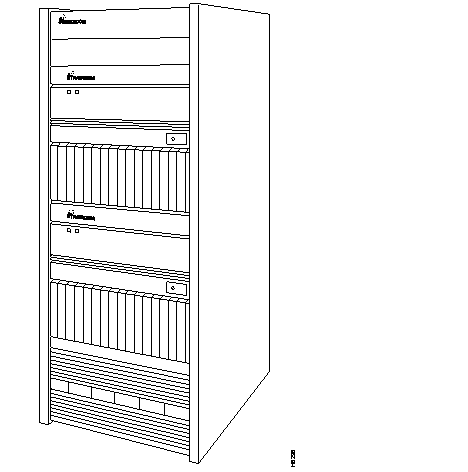
Figure 1-3 illustrates the IGX 32 mounted in a cabinet.
For descriptions of the hardware in an IGX 8, IGX 16, or IGX 32 node, refer to the Cisco StrataCom IGX Reference.
The IGX is installed in the following steps:
This includes procedures for installing an IGX 8, IGX 16, or IGX 32 in a cabinet or rack, using appropriate tools and mounting rails.
Mounting procedures for the AC or DC power supplies, installation of redundant power supplies and procedures for connection to the power-entry vback cards.
Installation of cooling fans in the IGX enclosure.
Connecting the IGX to power and ground.
Procedures for installing the various front and back cards available for the IGX node.
Starting the node for the first time.
|
|