


|
|

This chapter describes how to access help from the StrataView Plus BPX/IPX help function, the HPOpenView help function, and the SV+ Desktop help function.
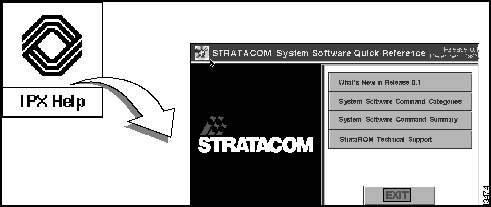
The StrataView BPX/IPX Help feature provides on-line help for using BPX/IPX commands. The BPX/IPX Help window is automatically displayed when StrataView Plus is started. You can iconize it and then restore to a window as needed. A FrameViewer application icon is also present at the top of the workstation screen. This can be used to bring up a second screen, in the event that you want to maintain two screens.
When StrataView Plus is running, on-line help for the StrataCom BPX/IPX commands is available by clicking the BPX/IPX Help icon. To use the BPX/IPX Help feature:
The BPX/IPX Help window is shown iconized, but on startup it is open. It can be shrunk back down to an icon by clicking on the minimize button in the upper right hand corner of the window.
Figure 11-1 : BPX/IPX Help window
The HPOpenView contains three types of help in the online menu bar.
Figure 11-2 : HPOpenView window
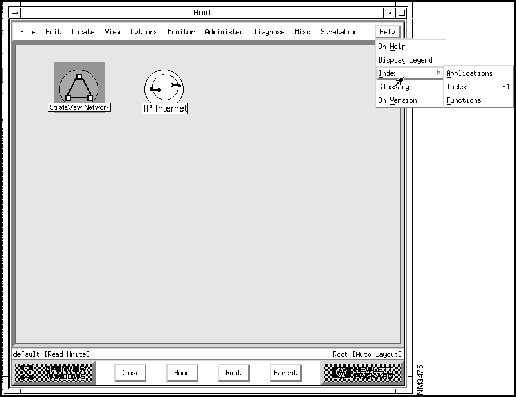
This is an alphabetical list help entries for each operation you can perform from the HPOpenView windows graphical map interface. Each entry describes the purpose of the operation, how to initiate the operation, and an overview of what the operation does.
This is an alphabetical l list help entries for common tasks that can be performed using NNM. Each entry describes the purpose of the task and how to perform the task. This type of help provides a higher level view of how to combine various functional operations together to get a particular job done.
This help provides the product version.
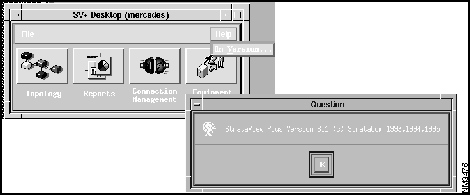
Use the StrataView Plus Desktop help to find out what version you are running.
Figure 11-3 : StrataView Plus Desktop help windows

|
Copyright 1988-1996 © Cisco Systems Inc.