I first need to introduce SPRT or “Simplified PxGrid, RADIUS and TACACS toolkit”. This is a great piece of software developed by Vitaly Kumov while he was working for Cisco. Unfortunately, given the age of the last commit, it doesn’t look maintained anymore!
Even though it is pretty advanced, I am mostly using it as a plain RADIUS/TACACS traffic generator when experimenting with ISE in the lab:
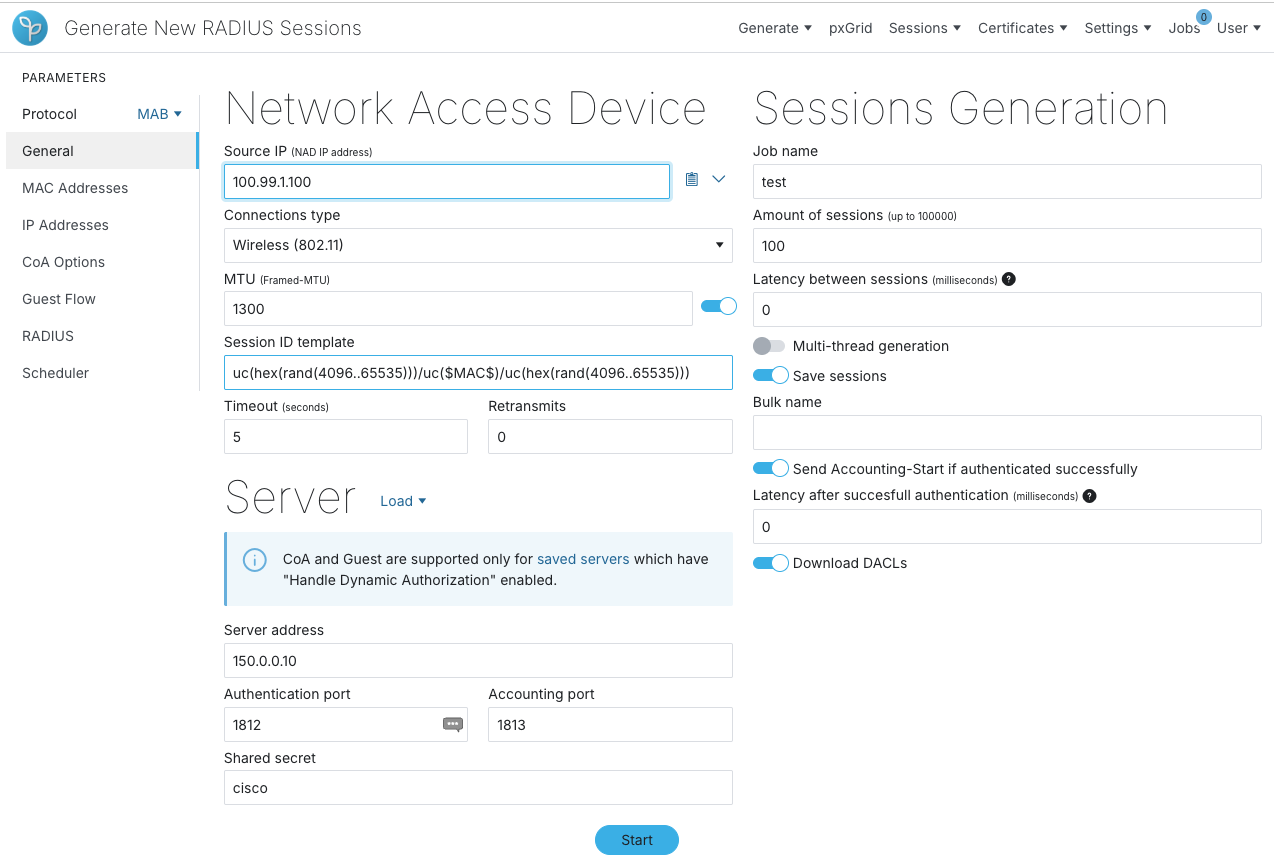
In this basic example, I’m ready to generate 100 MAB sessions from a NAD with an IP address of 100.99.1.100 and targeting my ISE node on the 150.0.0.10 interface. By default the tool would generate random MAC addresses but it can be customized.
Let’s take a step back — a few words about my setup. Getting our hands on real hardware is sometimes challenging. Virtualized environments on the other hand are almost pervasive. The labs I am using are often completely virtual. Here is an example I have used recently:
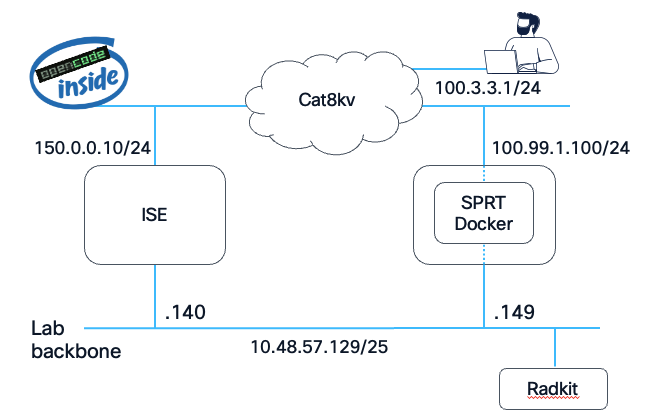
SPRT is running inside a docker container, not sure why but it’s a good motivation to learn the technology. By default, it comes with a single interface, the web-based GUI is running on the same interface as the data interface. This is annoying if you want to generate traffic in a subnet where you don’t have direct connectivity. In my example, the lab backbone is where my laptop has access, think of it as a management network.
I didn’t really want to spend time on the intricacies of the docker infrastructure. I simply asked my OpenCode agent to modify the setup to add an extra interface connected to some other network! I gave it access to the server and it got it working in a minute! This is the beauty of agentic AI, no need to be distracted by secondary tasks, you can focus on your repro!
Trying to simulate 802.1x or even MAB in a virtual environment is really tricky — the virtual devices are never directly connected to your virtual switch, there is always the VMware switch sitting in between. One of my goals was to investigate profiling. What I did was spoof the MAC address of the Windows device (150.3.3.1 in the topology) with SPRT, creating a valid session in ISE. From there, I configured an IP helper on the Catalyst 8000v acting as the default gateway — renewing the laptop’s IP then triggers a broadcast DHCP request, forwarded unicast to my ISE node where the DHCP probe picks it up. That’s how I finally get my device profiled as a Windows server.
There is a shortcut though, a colleague also coded a “profiling attribute” generator…this one is not public though… however if anyone is looking for a challenge, taking over and, why not, expanding SPRT with that functionality would really be useful for the community. That tool really deserves to stay alive ;-) The repository is right here: https://github.com/cisco-open/sprt