


|
|

Cisco Systems' PIX Firewall provides firewall and network translation services.
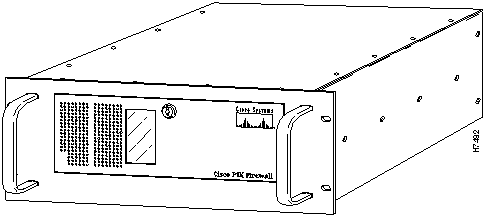
Figure 1-1 shows the Cisco PIX Firewall front view.
Figure 1-1 : PIX Firewall Front View
PIX (Private Internet Exchange) Firewall provides full firewall protection that completely conceals the architecture of an internal network from the outside world. PIX Firewall allows secure access to the Internet from within existing private networks and the ability to expand and reconfigure TCP/IP networks without being concerned about a shortage of IP addresses. With PIX Firewall, users can take advantage of larger address classes than they may have been assigned by the Internet's Network Information Center (NIC). PIX Firewall provides this access through its Network Address Translation (NAT) facility as described by RFC 1631.
PIX Firewall Adaptive Security
The Adaptive Security (AS) feature applies to the dynamic translation slots and can be applied to static translation slots via the static command. The Adaptive Security algorithm is a very stateful approach to security. Every inbound packet is checked exhaustively against the Adaptive Security algorithm and against connection state information in memory. This stateful approach to security is regarded in the industry as being far more secure than a stateless packet screening approach.
Adaptive Security follows these rules:
You can protect static translation slots with Adaptive Security, and you can have exceptions (called conduits) to the previously described rules, which you create with the conduit command. Multiple exceptions may be applied to a single static translation slot (via multiple conduit commands). This lets you permit access from an arbitrary machine, network, or any host on the Internet to the inside host defined by the static translation slot. PIX Firewall handles UDP data transfers in a manner similar to TCP. Special handling allows DNS service, archie, and RealAudio to work securely. PIX Firewall creates UDP connection state information when a UDP packet is sent from the inside network. Response packets resulting from this traffic are accepted if they match the connection state information. The connection state information is deleted after a short period of inactivity.
With the firewall feature, you can eliminate the overhead and risks associated with UNIX-based firewall systems and have complete accounting and logging of all transactions, including attempted break-ins. Both NCSA and SRI certify that the PIX Firewall secures your network from outside intrusion.
PIX Firewall has the following features:
http://www.cisco.com/pix
The PIX Firewall contains two Ethernet interfaces, one for the inside, secure network and the other for the outside, unprotected network. Both the inside and outside Ethernet interfaces can listen to RIP routing updates, and the inside interface can broadcast a RIP default route.
When packets arrive at the inside Ethernet, the PIX Firewall checks to see if previous packets have come from the inside host. If not, the PIX Firewall creates a dynamic translation slot in its state table. The dynamic translation slot includes the inside IP address and the new globally unique IP address, which is drawn from the virtual network of up to 64K host addresses. PIX Firewall then changes the IP address, the checksums, and other aspects of the packet so they agree, and forwards the packet to the outside Ethernet interface on its way to the Internet.
When a packet arrives at the outside interface, it must first pass the PIX Firewall Adaptive Security criteria. If the packet passes the security tests, PIX Firewall removes the destination IP address, and the internal IP address is inserted in its place. The packet is forwarded to the inside interface.
Dynamic translation slots are useful for desktop machines that do not need constant addresses on the Internet. Inside network hosts with IP addresses not registered with the NIC (Network Information Center) can directly access the Internet with standard TCP/IP software on the desktop. No special client software is needed.
Another class of address translation on the PIX Firewall is static translation. Static translation effectively moves an internal unregistered host into the virtual network in the PIX Firewall. This is useful for internal machines that need to be addressed from the outside Internet gateways; for example, an SMTP server.
For more information on firewalls refer to Firewalls and Internet Security by William Cheswick and Steven Bellows, 1994, Addison-Wesley, ISBN 0-201-63357-4.
New to the version 3 release, the PIX Firewall command interpreter provides a new command set based on IOS technologies. This command set provides three administrator access modes:
By default, the console is in unprivileged mode. You can access privileged mode by entering the enable command. PIX Firewall then prompts you for a password. Enter the default password cisco. When you are done configuring PIX Firewall, change the password with the enable password command. Exit privileged mode by entering the disable command.
You can access configuration mode by entering the config command. You can then write your settings to flash memory, diskette, or to your console computer. Exit configuration mode by entering the ^z command.
The PIX Firewall shipping carton contains the following:
Before Installing PIX Firewall
Follow these guidelines to ensure general safety:

Warning Do not work on the system or connect or disconnect cables during periods of lightning activity. Refer to the Regulatory Compliance and Safety Information for the Cisco PIX Firewall for more information.

Warning This product relies on the building's installation for short-circuit (overcurrent) protection. Ensure that a fuse or circuit breaker no larger than 120 VAC, 15A U.S. (240 VAC, 10A international) is used on the phase conductors (all current-carrying conductors). Refer to the Regulatory Compliance and Safety Information for the Cisco PIX Firewall for more information.

Warning The ports labeled "Ethernet," "10BaseT," "Token Ring," "Console," and "AUX" are safety extra-low voltage (SELV) circuits. SELV circuits should only be connected to other SELV circuits. Because the BRI circuits are treated like telephone-network voltage, avoid connecting the SELV circuit to the telephone network voltage (TNV) circuits.
Command Changes In this Release
New commands have been added for the following features:
Table 1-1 compares version 2 and version 3 commands.
Table 1-1 : Command Changes Between PIX Firewall Versions 2 and 3
Table 1-2 lists commands that are new to this release.
Table 1-2 : New Commands for This Release
Copyright 1988-1996 © Cisco Systems Inc.


V2 Command
V3 Command
V2 Command
V3 Command
access_list
outbound
mem
show memory, show blocks, show xlate
apply
apply
passwd
passwd
arp
arp
reboot
reload
clear_config
write erase and reboot
restore
config memory and config floppy
conduit
conduit
rip
rip
exit
^z
route
route
global
global
route link
linkpath
help
help
save
write
ifconfig
ip address and interface ethernet
show
show
ifshow
show config
static
static
ifstat
show interface
tcpstat
show tcp
kill
kill
telnet
telnet
link
link
timeout
timeout
link_stat
show link
trace
--
list_rip
show rip
version
show version
loghost
syslog
who
who or show who
xlate
show xlate
V3 Command
Description
age
Specify duration that a Private Link encryption key is active
auth
Enable user authentication
auth-user
Specify which users can login with authentication
auth-server
Specify which servers authenticate users
clear
cmd
Clear or disable command functionality
configure
Enter configuration mode or download RAM from flash memory or floppy
disable
Exit privileged mode
enable
Start privileged mode
failover
Enable failover access
hostname
Specify host name for PIX Firewall command prompt
http
Specify which users can use HTTP configuration
interface
Identify network interface type and speed
ip address
Indicate network interface IP address and subnet mask
linkpath
Identify Private Link remote system IP address and its network mask
lnko, lnkopath
Maintain compatibility with V2 PIX Firewall Private Link systems
nat
Restrict IP addresses from network access
no
cmd
Disable command functionality
outbound
Define access lists for outbound connections
ping
Determine if IP address is available to PIX Firewall
show
cmd
Provide status or additional information about command functionality
show blocks
View system buffer utilization
show hw
View hardware idenfication information
show memory
View memory utilization
show processes
View process status
show rif
View Token-Ring status
show xlate
View slot and translation information
snmp-server
Specfiy which servers have access to PIX Firewall events

