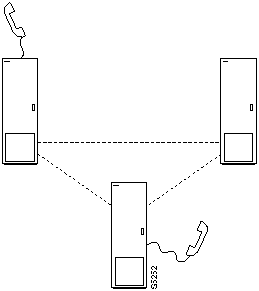
Step 2 Add the connection with the addcon command. The above configuration must have been completed at each end before the connection can be added.
Configuring Voice Channel Redundancy
Voice channels can be configured for redundancy by installing two identical sets of data front and back card pairs in adjacent slots and connecting to the customer's line through a Y-cable.
- Use the addyred command to establish the redundant connection between the two card sets.
- Use the delyred command to remove redundancy from a redundant pair.
Using VAD and Configuring Voice Channel Utilization
Bandwidth savings from using VAD will not be realized to the fullest extent unless the utilization of the voice channels is set to a reasonable value. The utilization for voice channels is configured using the cnfchutl command.
Summary of Commands
The following list shows the full command name and starting page for the description of each voice command.
Table 7-1 :
| addcon
|
Add connection
|
7-4
|
| cnfchadv
|
Configure channel adaptive voice
|
7-7
|
| cnfchdl
|
Configure channel dial type
|
7-9
|
| cnfchec
|
Configure channel echo canceller
|
7-12
|
| cnfchgn
|
Configure channel gain insertion
|
7-14
|
| cnfcond
|
Configure conditioning template
|
7-16
|
| cnfcondsc
|
Configure connection description
|
7-18
|
| cnfrcvsig
|
Configure receive signalling
|
7-20
|
| cnfvchtp
|
Configure voice channel interface type
|
7-22
|
| cnfxmtsig
|
Configure transmit signalling
|
7-26
|
| delcon
|
Delete connection
|
7-28
|
| dspchcnf
|
Display channel configuration
|
7-30
|
| dspchdlcnf
|
Display channel dial type configuration
|
7-32
|
| dspchec
|
Display channel echo canceller
|
7-34
|
| dspcon
|
Display connection
|
7-36
|
| dspcond
|
Display conditioning template
|
7-38
|
| dspcons
|
Display connections
|
7-40
|
| dspconst
|
Display connection state
|
7-43
|
| dspsigqual
|
Display signal qualifiers
|
7-45
|
| dspsvcst
|
Display voice SVC statistics
|
7-47
|
| prtchcnf
|
Print channel configuration
|
7-49
|
| prtchdlcnf
|
Printdial type configuration
|
7-50
|
| prtcons
|
Print connections
|
7-51
|
addcon
Establishes the channel connections between nodes in the network. Connections can be added to any node slot equipped with a CDP or CVM. Before adding the connection, determine the compression type to be used for the connection. The table in this command definition delineates each compression type.
When connecting sets of voice channels, you do not have to specify the full channel set for this end of the connection. You only have to designate the first channel in the set. For example, to connect channels 13.1-10 at alpha to channels 12.5-14 at beta, you could enter "addcon 13.1-10 beta 12.5". In this example, channel 13.1 is connected to channel 12.5, channel 13.2 is connected to channel 12.6 and so on.
Connections are added with default "class of service" (COS) values, which may be changed using the cnfcos command. The default values are: COS = 8 for c, v, and a connections, COS = 0 for t and p connections. Entering "*s" to avoid routing a voice connection over a satellite path avoids the long delays typical with these connections. The other choices for route avoidance are not generally useful for voice connections. The following are possible connections:
Table 7-2 :
| CDP or CVM
|
a32 a24 a16
|
ADPCM only
|
Uses ADPCM only. Can select 32 Kbps, 24 Kbps, or 16 Kbps compression. Compressed code avoids all zeros and can be used on lines with no other zero code suppression techniques. Modified 16 Kbps compression.
|
|
|
a16z
|
ADPCM on zero suppressed lines
|
Standard 16 Kbps ADPCM only. Compressed code can have strings of zeros and must be used on lines that do not use ZCS (for example, that use B8ZS).
|
|
|
a32d
c32d
|
ADPCM for FAX
|
Specifies 32 Kbps specially optimized for FAX. c32d incorporates Voice Activity Detection (VAD).
|
|
|
c32 c24 c16
|
VAD and ADPCM on zero suppressed lines
|
Uses both ADPCM and VAD. Can select 32 Kbps, 24 Kbps, or 16 Kbps ADPCM compression. Compressed code avoids all zeros and can be used on lines with no other zero code suppression techniques. 16 Kbps compression is non-standard.
|
|
|
c16z
|
VAD and ADPCM
|
Uses a standard 16 Kbps ADPCM compression and Voice Activity Detection. Similar to a16z. Compressed code can have strings of zeros and must be used on lines that do not use ZCS (for example, that use B8ZS).
|
|
|
p
|
PCM only
|
A p-type connection carries 64 Kbps PCM voice and supports A-law or mu-law encoding and conversion, level adjustment (gain/loss), and signalling.
|
|
|
v
|
PCM and VAD.
|
No ADPCM compression but VAD enabled. Approximately 2:1 compression.
|
|
|
t
|
Transparent
|
Connection carrying 64 Kbps clear channel data traffics.
|
The difference between a PCM (p) connection and a transparent (t) connection is that the D4 frame signalling bits are identified and processed as signalling information with PCM connections. PCM connections permit gain adjustment to be applied to the connection. Transparent connections treat all bits, including signalling bits, as data bits and disables any gain adjustment conversion that may be specified.
The number contained in the CDP or CVM type indicates the ADPCM rates in Kbps. The "z" suffix indicates that 00 code level is used. Type a16 or c16 uses only 01, 10, and 11 binary codes to avoid long strings of zeros. Type a16z and c16z connections use the 00 code and are automatically configured to avoid ZCS lines (*Z).
Full Name
Add a connection
Syntax
addcon <parameters> <optional parameters>
Related Commands
delcon, dncon, dspcon, dspcons, upcon
Attributes
| Privilege
|
1--2
|
| Jobs
|
Yes
|
| Log
|
Yes
|
| Node
|
IPX, IGX
|
| Lock
|
Yes
|
Example 1
addcon 7.2 beta 8.2 v
Description
Add a "v" type voice connection. Channel 7.2 on node alpha will be connected to channel 8.2 on node beta. The connections are highlighted on the screen. A prompt appears asking you to confirm these connections.
Connection type is "v", "class of service" (COS) is "2" (See cnfcos command), compression is VAD, and ownership is local. Because the addcon command was entered at the node alpha, the node alpha is considered the "owner" of the connection.
System Response
alpha          TRM   YourID:1        IPX 16    8.2    Mar. 16 1996 09:37 PST

 Local      Remote      Remote                                      Route
 Channel    NodeName    Channel    State  Type    Compression  Code Avoid COS O
 7.1  beta  8.1  Ok  256  7/8  0  L
 8.1.100  gamma  6.1.200  Ok  fr    0  L
 5.2.400  delta  6.2.302  Ok  fr    0  L
 7.2  beta  8.2  Ok  v  VAD  2  L


Last Command: addcon 7.2 beta 8.2 v


Next Command:
Table 7-3 : addcon -- Parameters
| local channel
|
Specifies the local channel or set of channels to connect in the following format. Brackets indicate that a range of channels can be specified.
- slot.chan [--chan] | slot.port.dlci | slot.vpi.vci
|
| node
|
Specifies the name of the node at the other end of the connection. For a DACS-type connection (where channels on a node are connected to channels on the same node), use the local node name.
|
| remote channel
|
Specifies the local channel or set of channels to connect in the following format. Brackets indicate that a range of channels can be specified.
- slot.chan [--chan] | slot.port.dlci | slot.vpi.vci | slot.port.vpi.vci
|
| type
|
Specifies the voice connection type. Refer to the command description for valid voice connection types on the CDP or CVM card and on compression types.
|
Table 7-4 : addcon -- Optional Parameters
| avoid
|
Specifies the type of trunk for the connection to avoid. The default is no avoidance. The choices are:
*s avoid satellite trunks.
*t avoid terrestrial trunks.
*z avoid trunks using zero code suppression techniques that modify any bit position to prevent long strings of zeros.
|
cnfchadv
Enables the Adaptive Voice feature for individual channels. The Adaptive Voice feature must also be equipped at each node terminating the connection. If Adaptive Voice is not equipped for given nodes in the network, the channel specific Adaptive Voice disable/enable command (cnfchadv) has no effect at these nodes.
If the Adaptive Voice feature is enabled for a channel with a "c" or "v" connections, VAD is automatically disabled on that channel when trunk bandwidth is available and enabled when trunk bandwidth is needed. If the Adaptive Voice feature is not enabled for a channel with a "c" or "v" connections, VAD is always turned on for that channel. In order for a voice ("c" or "v") connection to use Adaptive Voice, both ends must have Adaptive Voice enabled with the cnfchadv command.
Full Name
Configure channel adaptive voice
Syntax
cnfchadv <channel(s)> <y/n>
Related Commands
dspchcnf
Attributes
| Privilege
|
1--2
|
| Jobs
|
Yes
|
| Log
|
Yes
|
| Node
|
IPX, IGX
|
| Lock
|
Yes
|
Example 1
cnfchadv 14.1 e
Description
Enable Adaptive Voice for channel 14.1.
System Response
alpha          TRM   YourID:1        IPX 16    8.2    Mar. 16 1996 09:43 PST

           %    Adaptive  Gain (dB)   Dial                        OnHk     Cond
Channels  Util  Voice     In  Out     Type   Interface Type    A  B  C  D  Crit.
14.1-24    40   Enabled    0    -    Inband  Unconfig          ?  ?  -  -    a


Last Command: cnfchadv 14.1 e


Next Command:
Table 7-5 : cnfchadv -- Parameters
| channel
|
Specifies the channel or range of channels over which to enable/disable Adaptive Voice.
|
| e
|
Enables Adaptive Voice (default setting).
|
| d
|
Disables Adaptive Voice.
|
cnfchdl
Configures the dial type for a channel or set of channels. The dial type may be inband, pulse, or user configured. The user configured option allows non-default timing values to be used. The parameters associated with the cnfchdl command are timing constants used to ensure that signalling pulses are not distorted in time by transmission through the network.
- Dial type determines the signalling message timing for a connection. Dial type is ignored for DS0 data connections.
- When you add an inband or pulse dial type to a channel, the channel configuration screen appears, showing the designated dial types for each channel.
- When you add a user-configured dial type, a more detailed screen appears, showing the dial type as well as the signalling delay, minimum wink, interdigit times, and playout delay.
If inband is chosen, the node assumes that the A and B bits are not used for loop-disconnect dialing. Therefore, any change in signalling bit status is sent as a packet to the far end of the connection.
If pulse is chosen, the transmitting node waits (normally 72 msec) after an A or B bit transition for another transition to arrive. If one does, the new transition is incorporated into the same signalling packet that is sent to the far end of the connection. This increases the delay of the signalling transition across the network, but decreases the amount of trunk bandwidth used for signalling.
If the default timings are not correct for the network, they may be set with the user configured option. The dialing type should be set correctly. If a connection designated pulse is used for inband signalling, delay across the network will be greater than necessary. If a connection designated inband is used for pulse signalling, the relative timing of signalling transitions may be lost, distorting the pulses.
Full Name
Configure dial type for channels
Syntax
cnfchdl <channel(s)> <dial_type> [<sig_delay> <min_wink> <int_dig_time>
<playout delay>]
Related Commands
dspchcnf, dspchdlcnf
Attributes
| Privilege
|
1--2
|
| Jobs
|
Yes
|
| Log
|
Yes
|
| Node
|
IPX, IGX
|
| Lock
|
Yes
|
Example 1
cnfchdl 14.1 p
Description
Configure the dial type of channel 14.1 to pulse.
System Response
alpha          TRM   YourID:1        IPX 16    8.2   Mar. 16 1996 09:46 PST

           %    Adaptive  Gain (dB)   Dial                        OnHk     Cond
Channels  Util  Voice     In  Out     Type   Interface Type    A  B  C  D  Crit.
14.1       40   Enabled    0    -    Pulse   Unconfig          ?  ?  -  -    a
14.2-24    40   Enabled    0    -    Inband  Unconfig          ?  ?  -  -    a


Last Command: cnfchdl 14.1 p


Next Command:
Table 7-6 : cnfchdl -- Parameters
| channel
|
Specifies the channel or range of channels over which to configure dial type.
|
| dial type
|
Specifies the dial type to assign. The three possible dial types are:
i inband
p pulse
u user configured
Inband is the default dial type. If you designate "u" for a user-configured dial type, you are prompted, as applicable, from among the following: sig delay, min wink, interdigit time, and playout delay.
|
Table 7-7 : cnfchdl -- Optional Parameters
| signalling delay
|
Specifies the signalling delay, in milliseconds, to assign to the user-configured dial type. The range is from 12 to 96. The value entered is rounded to the closest multiple of 1.5 ms.
|
| minimum wink
|
Specifies the minimum wink, in milliseconds, to assign to the user-configured dial type. The range is from 3 to 765. The value entered is rounded down to the nearest whole multiple of 3 ms. (This is not applicable to CDP or CVM channels.)
|
| interdigit time
|
Specifies the interdigit time, in milliseconds, to assign to the user-configured dial type. The range is from 3 to 765. The value entered is rounded down to the nearest whole multiple of 3 ms. This is not applicable to a CDP or CVM channel.
|
| playout delay
|
Specifies the signaling delay, in milliseconds, assign to the user-configured dial type. The range is from 12 to 96. The value entered is rounded to the closest multiple of 1.5 ms.
|
cnfchec
Configures the Integrated Echo Canceller channel parameters associated with the specified voice channel. CAS and DATA channels are not configured.
Full Name
Configure channel echo canceller
Syntax
cnfchec <chan> <ec> <erl> <td> <convergence> <nlp>
Related Commands
dspchec
Attributes
| Privilege
|
1
|
| Jobs
|
No
|
| Log
|
No
|
| Node
|
IPX, IGX
|
| Lock
|
Yes
|
Example 1
cnfchec 7.1 e h e e e
Description
Enable and configure the CDP or CVM card Echo Canceller in channel 7.1 with high echo loss tone disabled, convergence enabled, and non-linear processing enabled
System Response
pubsipx1       TN    StrataCom       IPX 16    8.2    July 27 1996 06:06 PDT

          Echo     Echo Return    Tone      Conver-  Non-Linear Voice
Channels  Cancel   Loss (.1 dBs)  Disabler  gence    Processing Tmplt
7.1       Enabled  High  60       Enabled   Enabled  Enabled    USA
7.2-31    Disabled High  60       Enabled   Enabled  Enabled    USA


Last Command: cnfchec 7.1 e h e e e


Next Command:
Table 7-8 : chfchec -- Parameters
| channel
|
Specifies the channel or range of channels in which the CDP or CVM reside.
|
| echo canceller
|
Enable or disable echo canceller. An "e" indicates enable; a "d" indicates disable.
|
| echo return loss
|
Sets the echo return loss as high/low). An "h" indicates high; a "l" indicates low.
|
| tone disabler
|
Enables or disables tone disabler. An "e" indicates enable; a "d" indicates disable.
|
| convergence
|
Enables or disables tone disabler. An "e" indicates enable; a "d" indicates disable
|
| non-linear processing
|
Enables or disables non-linear processing. An "e" indicates enable; a "d" indicates disable.
|
cnfchgn
Configures the amount of gain inserted by the IPX or IGX mode for a given circuit line channel or range of channels. Gain can be configured between +6 dB and -8 dB. The input gain is inserted at the receive side of a CDP or CVM circuit line and is therefore applied before the signal is packetized by the CDP or CVM. The output gain is inserted at the transmit side of a CDP or CVM circuit line and is applied after the signal has been depacketized by the CDP or CVM. Gain is ignored for channels used in data connections.
Full Name
Configure gain insertion for channels
Syntax
cnfchgn <channel(s)> <input_gain> [<output_gain>]
Related Commands
dspchcnf
Attributes
| Privilege
|
1--2
|
| Jobs
|
Yes
|
| Log
|
Yes
|
| Node
|
IPX, IGX
|
| Lock
|
Yes
|
Example 1
cnfchgn 14.1 -4 2
Description
Configure input gain of --4 db and an output gain of +2 dB for channel 1 of circuit line 1.
System Response
alpha          TRM   YourID:1        IPX 16    8.2    Mar. 16 1996 09:52 PST

           %    Adaptive  Gain (dB)   Dial                        OnHk     Cond
Channels  Util  Voice     In  Out     Type   Interface Type    A  B  C  D  Crit.
14.1       40   Enabled   -4    -    User    Unconfig          ?  ?  -  -    a
14.2-24    40   Enabled    0    -    Inband  Unconfig          ?  ?  -  -    a


Last Command: cnfchgn 14.1 -4 2


Next Command:
Table 7-9 : cnfchgn -- Parameters
| channel
|
Specifies the channel or range of channels in which to configure gain.
|
| gain
|
Specifies the gain, in decibels, to assign to the channel. The range is --8 dB to +6 dB.
|
cnfcond
Creates a conditioning template that specifies the bit patterns to be transmitted for each of the T1 and E1 timeslots and their A, B, C, and D signalling bits while the channel is in the failed state. Its purpose is to prevent the signalling bits from returning to the idle (on-hook) bit pattern during a channel failure and to force a known bit pattern (usually busy). If a connection fails and the template has been specified as the conditioning template for the failed connection, the data parameter in the template is transmitted in the channels timeslot, and the A, B, C, and D bits are processed according to the specified parameters.
A two-character sequence in the id parameter field identifies the template. The `Data Pattern' field displays the pattern transmitted in the channels timeslot. The `Signalling Pattern' field displays the pattern transmitted in the channel's A, B, C, and D signalling bit positions. Each of the A, B, C, and D signalling bits are specified independently and may be held high or low, or toggled to the on-hook condition for a short time, then off-hook (this process is called a wink). The timing of toggling the bits can be controlled by specifying the duration of winks in increments of 50 msec.
A typical failure response is for the node to:
- Transmit idle characters in the channel's timeslot
- Signal off-hook for a period of 2 seconds
- Return permanently to the on-hook condition.
Full Name
Configure conditioning template
Syntax
cnfcond <id> <data> <A bit> <B bit> <C bit> <D bit>
Related Commands
cnfvchtp, dspchcnf, dspcond
Attributes
| Privilege
|
1--2
|
| Jobs
|
Yes
|
| Log
|
Yes
|
| Node
|
IPX, IGX
|
| Lock
|
Yes
|
Example 1
cnfcond lm 01010100 0(40)/1 1 1 1
Description
Configure the conditioning template.
System Response
alpha          TRM   YourID:1        IPX 16    8.2    Mar. 16 1996 09:59 PST

Conditioning criterion lm:

  Data Pattern
  01010100 - E1/T1


  Signalling Pattern
  A            0(40)/1
  B            1
  C            1
  D            1


Last Command: cnfcond lm 01010100 0(40)/1 1 1 1


Next Command:
Table 7-10 : cnfcond -- Parameters
| id
|
Specifies the identifier of conditioning template. The identifier may be any two character combination of lowercase letters (a-z) and numeric digits (0-9).
|
| data
|
Specifies an eight-bit binary string to use instead of the voice in the event the channel fails.
|
A bit
B bit
C bit
D bit
|
Specifies the signalling sequence to be transmitted for these bits in the event of channel failure. Each of these four parameters may be set independently. Each element in the sequence is expressed as a 1 or 0 (to indicate the logic state of the line) followed by a number in parenthesis to indicate the duration that state is to be held on the channel. The duration number is expressed in 50 msec intervals.
For example, if <B> is set to 1(40); upon a channel failure, the B bit is held to the 1 state for a period of 2 seconds (40 x 50 msec = 2 seconds). If the duration value is omitted, the state is held permanently. So <C> set to 0 would cause the C bit to be held permanently to 0 during a failed channel condition.
A sequence of states can be specified by entering several states separated by slash symbols. A maximum of 5 states in sequence can be specified. For example, <A> set to 1(40)/0(20)/1 would cause, upon a failure of the c
|
cnfcondsc
Assigns a user-specified, reference description to a connection. The connection descriptor is independently configurable at each end of a connection. To remove a descriptor, enter this command and specify a null descriptor. A descriptor cannot be deleted in a job, just reconfigured. The dspcon and dspcons +d commands display any existing connection descriptors.
Full Name
Configure connection description
Syntax
cnfcondsc <channel> <descriptor>
Related Commands
dspcon, dspcons
Attributes
| Privilege
|
1--2
|
| Jobs
|
Yes
|
| Log
|
Yes
|
| Node
|
IPX, IGX, BPX
|
| Lock
|
Yes
|
Example 1
cnfcondsc 5.1 gracie's_phone
Description
Assign the descriptive name "gracie's_phone" to channel 5.1. To assign this descriptor at the other end of the connection, vt to the other end of the connection, enter cnfcondsc, and specify the name "gracie's_phone."
System Response
alpha          TRM   YourID:1        IPX 16    8.2     Mar. 15 1996 15:40 PST

Conn:  5.1        beta        25.1        256 7/8    Desc: gracie's_FAX


Owner: REMOTE  Restriction: NONE  COS: 0                    Status: OK
Compression: NONE

Path:     alpha   10-- 7beta
Pref:     Not Configured


alpha 5.1                                        beta 25.1
SDP:   OK                                        SDP:   OK
SDI:   OK                                        SDI:   OK
Clock: OK                                        Clock: OK

Last Command: cnfcondsc 5.1 gracie's_phone


Next Command:
Table 7-11 : cnfcondsc -- Parameters
| channel
|
Specifies the local voice, data, frame relay, or ATM channel to describe.
|
| descriptor
|
Specifies a string of up to 20 characters. The descriptor cannot begin with a number, and no spaces are allowed.
|
cnfrcvsig
Configures the receive signalling bits for a CDP or CVM voice channel. Channel signalling bit options are T (transparent), 0, 1, or I (invert). If signalling is set to "not used" (-) by cnfchtp, the following condition is maintained: A=1, B=1, C=0, D=1.
Full Name
Configure receive signalling
Syntax
cnfrcvsig <channel(s)> <[A/]Conv> <[B/]Conv> <[C/]Conv> <[D/]Conv>
Related Commands
cnfxmtsig, dspsigqual
Attributes
| Privilege
|
1--2
|
| Jobs
|
Yes
|
| Log
|
Yes
|
| Node
|
IPX, IGX
|
| Lock
|
Yes
|
Example 1
cnfrcvsig 8.1 A/T B/0 C/I D/I
Description
Configure channel 8.1 signalling to transparent for the A bit, inhibited for the B bit, inverted for the C and D bits.
System Response
beta           TRM   YourID:1        IPX 32    8.2    Mar. 23 1996 11:36 MST

                                Signalling Qualifiers
From 8.1    TXAbit  TXBbit  TXCbit  TXDbit  RXAbit RXBbit RXCbit RXDbit
8.1         T       T       T       T       T      0      I      I
8.2-31      T       T       T       T       T      T      T      T


Last Command: cnfrcvsig 8.1 A/T B/0 C/I D/I


Next Command:
Table 7-12 : cnfrcvsig -- Parameters
| channel
|
Specifies the channel or range of channels for which to configure receive signalling
|
Table 7-13 : cnfrcvsig -- Optional Parameters
| A/
|
Specifies the conversion applied to the A bit. <Conv> can be one of:
1: bit is asserted.
0: bit is inhibited.
T: bit is passed transparently.
I: bit is inverted.
|
| B/
|
Specifies the conversion applied to the B bit.
|
| C/
|
Specifies the conversion applied to the C bit.
|
| D/
|
Specifies the conversion applies to the D bit.
|
cnfvchtp
Configures an interface signalling type for a voice channel. Most standard signalling types are maintained by the node, but a custom template may be built by the user. Entering the cnfvchtp command without a specific interface number, the system presents you with a list of valid interface types and their associated onhook and conditioning information.
To assign an interface type (and its associated onhook and conditioning information) to the channel or set of channels, enter the number of the desired interface type. As mentioned previously, type "1" requires user configuration. Interface type is ignored for "d" type connections.
Full Name
Configure interface type for voice channels
Syntax
cnfvchtp <channel(s)> <type> [<A> <B> <C> <D> <cond_code>]
Related Commands
cnfchgn, cnfchdl, dspchcnf, dspconst
Attributes
| Privilege
|
1--2
|
| Jobs
|
Yes
|
| Log
|
Yes
|
| Node
|
IPX, IGX
|
| Lock
|
Yes
|
Example 1
cnfvchtp 14.1 1
Description
Configure the interface type for channel 14.1 to user configured
System Response
alpha          TRM   YourID:1        IPX 16    8.2    Mar. 16 1996 1:06 PST

           %    Adaptive  Gain (dB)  Dial                           OnHk     Cond
Channels  Util  Voice     In  Out    Type      Interface Type     A  B  C  D  Crit.
14.1      40    Enabled   -4    -     User     Unconfig           ?  ?  -  -    a
14.2-24   40    Enabled    0    -     Inband   Unconfig           ?  ?  -  -    a


Last Command: cnfvchtp 14.1 1


Next Command:
Example 2
cnfvchtp 15.5-8 1 X X - - b
Description
Configure a user configurable interface type for channel 15.1 to 15.8. The channel configuration screen shows that channels 5-8 of circuit line 15 now has a user-configured interface type with an A-bit on-hook value of "X", a B-bit on-hook value of "X", an C-bit on-hook value of not used, D-bit on-hook value of not used, and conditioning template b.
Table 7-14 : cnfvchtp -- Parameters
| channel
|
Specifies the channel or range of channels for which to configure the interface type.
|
| interface type
|
Specifies the number of the interface type to assign to the channel or range of channels. These types are listed below. The Onhook column has A bits on the left and B bits on the right. The conditioning column has different types of conditioning specified. If you designate interface type number 1 to indicate a user-configured interface type, the system prompts for: onhook A, onhook B, onhook C (if applicable), onhook D (if applicable), conditioning A, conditioning B, conditioning C (if applicable), conditioning D (if applicable), and conditioning template information.
When the IPX or IGX receives A, B, C, and D bits corresponding to the onhook values, that channel is known to be onhook. If the A, B, C, and D bits do not correspond to the onhook values, that channel is known be offhook
|
| onhook A
|
A-bit value for the onhook state of a channel or set of channels.
|
| onhook B
|
B-bit value for the on-hook state of a channel or set of channels.
|
| onhook C
|
C-bit value for the on-hook state of a channel or set of channels.
|
| onhook D
|
D-bit value for the on-hook state of a channel or set of channels. Possible values are:
1 high
0 low
X don't care
? don't know
- not used
|
| conditioning template
|
One of many predefined or user-defined conditioning templates in the range of 00000000 to 11111111. (See dspcond and cnfcond commands). Each interface type, except for option 1, has a predetermined conditioning template associated with it. These represent the A, B, C, D bit values as well as the substitute PCM voice sample sent to the attached equipment in case the voice connection fails for any reason.
|
cnfxmtsig
Allows the node to pass A, B, C, and D channel signalling bits through unchanged, or to invert, or hold them at a given value for a CDP or CVM circuit line. It affects signalling bits in the transmit direction (to the PBX or channel bank) in an E1 system. The command configures the transmit signalling. Channel signalling bit options are T (transparent), 0, 1, or I (invert). If signalling is set to "not used" (-) by cnfchtp, the following is maintained: A=1, B=1, C=0, D=1.
Full Name
Configure transmit signalling
Syntax
cnfxmtsig <channel(s)> <[A/]Conv> <[B/]Conv> <[C/]Conv> <[D/]Conv>
Related Commands
cnfrcvsig, dspsigqual
Attributes
| Privilege
|
1--2
|
| Jobs
|
Yes
|
| Log
|
Yes
|
| Node
|
IPX, IGX
|
| Lock
|
Yes
|
Example 1
cnfxmtsig 8.1 a/1 b/0 c/1 d/t
Description
Configure the transmit signalling for channel 8.1 to inverted for the A bit, inhibited for the B bit, asserted for the C bit and transparent for the D bit.
System Response
beta           TRM   YourID:1        IPX 32    8.2    Mar. 23 1996 11:38 MST

                                Signalling Qualifiers
From 8.1    TXAbit  TXBbit  TXCbit  TXDbit  RXAbit RXBbit RXCbit RXDbit
8.1         1       0       1       T       T      0      I      I
8.2-31      T       T       T       T       T      T      T      T


Last Command: cnfxmtsig 8.1 A/1 B/0 C/1 D/t


Next Command:
Table 7-15 : cnfxmtsig -- Parameters
| channel
|
Specifies the channel or range of channels for which to configure receive signalling
|
Table 7-16 : cnfxmtsig -- Optional Parameters
| A/
|
Specifies the conversion applied to the A bit. <Conv> can be one of:
1: bit is asserted.
0: bit is inhibited.
T: bit is passed transparently.
I: bit is inverted.
|
| B/
|
Specifies the conversion applied to the B bit.
|
| C/
|
Specifies the conversion applied to the C bit.
|
| D/
|
Specifies the conversion applies to the D bit.
|
delcon
Removes voice connections from a network. Connections can be deleted from the node at either end of the connection. Do not delete a connection when the node at the other end of the connection is unreachable. The unreachable node does not recognize the deletion. It is especially important not to delete a connection to an unreachable node then connect the deleted channel to another node.
Full Name
Delete connection
Syntax
delcon <channel(s)>
Related Commands
addcon, dspcon, dspcons
Attributes
| Privilege
|
1--2
|
| Jobs
|
Yes
|
| Log
|
Yes
|
| Node
|
IPX, IGX
|
| Lock
|
Yes
|
Example 1
delcon 14.1
Description
Delete connection 14.1. The proposed deletions are highlighted, a prompt requests confirmation of the deletion. Enter a "y" to delete the highlighted connections or an "n" not to delete. The example shows the screen after deletion of 14.1.
System Response
alpha          TRM   YourID:1        IPX 16    8.2    Mar. 16 1996 09:35 PST

 Local      Remote      Remote                                      Route
 Channel    NodeName    Channel    State  Type    Compression  Code Avoid COS O
 5.1        beta        25.1       Ok     256                  7/8         0  L
 9.1.100    gamma       8.1.200    Ok     fr                               0  L
 9.2.400    beta        19.2.302   Ok     fr                               0  L


Last Command: delcon 14.1


Next Command:
Table 7-17 : delcon -- Parameters
| channel(s)
|
Specifies a channel or range of channels to delete. The format for channel is: slot.channel
For a range of channels, separate the first and last channel with a dash (-).
|
dspchcnf
Displays configuration details for voice, data, or frame relay channels. Voice channels display: Utilization, Adaptive Voice, Gain, Dial Type, Interface Type, and OnHook and Conditioning specifications. Data channels display: Maximum EIA Update Rate, Percentage Utilization, DFM Pattern Length, and DFM Status. Frame relay channels display: Minimum Information Rate, VC Queue Buffer Size or Bc, Peak Information Rate or Be, Maximum Credits, ECN Queue Buffer Size, Quiescent Information Rate, ForeSight enabled or not, and Percentage Utilization.
If the channel specified is a voice channel, the display includes configuration details for all channels on the specified circuit line starting with the specified channel. If the channel specified is a data channel, the display includes configuration details for all channels on the specified data card (CDP or CVM, LDP, or SDP or HDM) starting with the specified channel. If the channel specified is a frame relay channel, the display includes configuration details for all channels on the specified FRP port starting with the specified channel. If you specify a frame relay port only with no DLCI, the display includes configuration details for all channels on the frame relay port specified. The display will indicate either StrataCom parameters or standard frame.
Full Name
Display channel configurations
Syntax
dspchcnf [channel]
Related Commands
cnfchadv, cnfchdfm, cnfchdl, cnfcheia, cnfchgn, cnfchtp, cnfchutl, cnffrcon
Attributes
| Privilege
|
1--6
|
| Jobs
|
No
|
| Log
|
No
|
| Node
|
IPX, IGX
|
| Lock
|
No
|
Example 1
dpchcnf 14.1
Description
Display the configuration values of circuit line 14.1.
System Response
alpha          TRM   YourID:1        IPX 16    8.2    Mar. 16 1996 10:06 PST

           %    Adaptive  Gain (dB)   Dial                        OnHk     Cond
Channels  Util  Voice     In  Out     Type   Interface Type    A  B  C  D  Crit.
14.1       40   Enabled   -4    -    User    Unconfig          ?  ?  -  -    a
14.2-24    40   Enabled    0    -    Inband  Unconfig          ?  ?  -  -    a


Last Command: dspchcnf 14.1


Next Command:
Table 7-18 : dspchchf -- Parameters
| start channel
|
Specifies the channel to begin the display. Format is as follows: slot.channel
|
dspchdlcnf
Displays dial type configurations for all channels on a circuit line as follows:
Table 7-19 :
| All
|
Dial Type
|
Inband, pulse, or user configured.
|
| User Configured
|
Signalling delay
|
The signalling delay, in milliseconds, assigned to the channel. The range is from 12 to 96.
|
|
|
minimum wink
|
The minimum wink assigned to the channel. The range is 3--765 millisecs. (This is not applicable to a CDP or CVM channel)
|
|
|
interdigit time
|
The interdigit times assigned to the channel. The range is 3--765 millisecs. (This is not applicable to a CDP or CVM channel.)
|
|
|
playout delay
|
The signaling delay assigned to the channel. The range is 12--96 millisecs.
|
Full Name
Display dial type configurations for channels
Syntax
dspchdlcnf [start_channel]
Related Commands
cnfchdl
Attributes
| Privilege
|
1--6
|
| Jobs
|
No
|
| Log
|
No
|
| Node
|
IPX, IGX
|
| Lock
|
No
|
Example 1
dpchdlcnf 14.1
Description
Display the dial type configuration for all channels beginning with 14.1.
System Response
alpha          TRM   YourID:1        IPX 16    8.2    Mar. 16 1996 09:45 PST


Channels  Type   Sig Delay   Min Wink  IntDigit Time  Playout Delay
14.1-24   Inband      12        141           300           -


Last Command: dspchdlcnf 14.1


Next Command:
Table 7-20 : dspchdlcnf
| start channel
|
Specifies the channel with which to begin the display.
|
dspchec
Displays the Integrated Echo Canceller channel parameters associated with the specified voice channel(s). CAS and DATA channels are not displayed. The specified channels must be on a CDP or CVM. The following lists the displayed parameters and possible values.
Table 7-21 :
| Echo Return Loss (.1 dBs)
|
High/low (loss is in units are 0.1 dBs)
|
| Tone Disabler
|
Enabled/disabled
|
| Convergence
|
Enabled/disabled
|
| Non-Linear Processing
|
Enabled/disabled
|
Full Name
Display CDP or CVM voice echo canceller configuration
Syntax
dspchec <channel(s)>
Related Commands
cnfchec
Attributes
| Privilege
|
1--6
|
| Jobs
|
No
|
| Log
|
No
|
| Node
|
IPX, IGX
|
| Lock
|
No
|
Example 1
dpchec 7.1
Description
Display the echo canceller configuration for channel 7.1.
System Response
pubsipx1       TN    StrataCom       IPX 16    8.2    July 27 1996 06:10 PDT

          Echo     Echo Return    Tone      Conver-  Non-Linear Voice
Channels  Cancel   Loss (.1 dBs)  Disabler  gence    Processing Tmplt
7.1       Enabled  High  60       Enabled   Enabled  Enabled    USA
7.2-31    Disabled High  60       Enabled   Enabled  Enabled    USA


Last Command: dspchec 7.1


Next Command:
Table 7-22 : dspchec -- Parameters
| channel
|
Specifies the channel or channels to display.
|
dspcon
Displays connection information for a specified channel. The information displayed includes:
- The channel numbers for both the local and remote ends of the connection.
- The node names at both ends of the connection.
- The routing restriction.
- The class of service (COS) of the connection.
- The connection route. listing the end nodes and any intermediate nodes.
- The preferred route for the connection (if configured).
- The status of the cards associated with the connection.
- Any Y-cable conflicts.
- The compression status (VAD on or off, ADPCM on or off, DFM on or off, frame relay
compression on or off).
- The connection descriptor (if configured).
The status that may be displayed includes:
|
|
OK
|
Connection OK
|
|
|
FAILED
|
Connection failed
|
Full Name
Display connection
Syntax
dspcon <channel>
Related Commands
cnfchec
Attributes
| Privilege
|
1--6
|
| Jobs
|
Yes
|
| Log
|
Yes
|
| Node
|
IPX, IGX
|
| Lock
|
No
|
Example 1
dspcon 5.1.100 pubsipx3 5.1.200
Description
Display connection information for 5.1.
System Response
pubsipx1       TN    StrataCom       IPX 16    8.2    July 24 1996 21:36 PDT

Conn:  5.1.100           pubsipx3    5.1.200            fr
   MIR       CIR    VC Q Depth      PIR      Cmax   ECN QThresh    QIR    FST
 4.8/9.6   4.8/9.6  65535/65535   128/256     8/10  65535/65535 19.2/9.6   n
% Util:  90/100
Owner: LOCAL  Restriction: NONE  COS: 0                     Status: OK
Group: NONE  Priority: L  TestRTD: 0 msec

Path:   pubsipx1   8--   6pubsipx3
Pref:   Not Configured


pubsipx1  FRP:   OK                    pubsipx3  FRP:   OK
          FRI:   OK                              FRI:   OK


Last Command: dspcon 5.1.100 pubsipx3 5.1.200


Next Command:
Table 7-23 : dspcon -- Parameters
| channel
|
Specifies the channel for which to display connection details. The format for channel is slot.channel.dlci. The command displays connection information for one channel at a time.
|
dspcond
Displays the signalling bit patterns from the specified template. Refer to the description of the cnfcond command for the purpose of the conditioning template.
Full Name
Display conditioning criteria
Syntax
dspcond <identifier>
Related Commands
cnfchtp, cnfcond
Attributes
| Privilege
|
1--6
|
| Jobs
|
No
|
| Log
|
No
|
| Node
|
IPX, IGX
|
| Lock
|
No
|
Example 1
dspcond a
Description
Display the conditioning template identified as "a."
System Response
alpha          TRM   YourID:1        IPX 16    8.2    Mar. 16 1996 09:56 PST

Conditioning criterion a:

  Data Pattern
  01010100 - E1
  01111111 - T1


  Signalling Pattern
  A            0(40)/1
  B            1
  C            1
  D            1


Last Command: dspcond a


Next Command:
Table 7-24 : dspcond -- Parameters
| identifier
|
Specifies the identifier of the template.
|
dspcons
Displays a summary of the connections on an IPX or IGX node. Status that may be displayed includes
|
|
OK
|
Connection OK
|
|
|
FAILED
|
Connection failed
|
The fields displayed in the dspcons screens are the following:
Table 7-25 :
| Local Channel
|
The connection's channel at this node.
|
| Remote Node Name
|
The name of the node at the other end of the connection.
|
| Remote Channel
|
The connection's channel at the remote node.
|
| State
|
The state of the connection(s) as follows:
- OK Routed
- Down Downed
- OK Downed Waiting for onhook to occur to allow courtesy down to take
place for connection(s) that have been courtesy downed using the dncon command.
- Failed Unrouted, but trying
|
| Type
|
The type of connection (v = voice, d = data, fr = frame relay, atfr = ATM to frame relay interworking, atfst = ATM to frame relay interworking with ForeSight, -fail = failed connections; data rate in kbps for data)
|
| Route Avoid
|
The type of lines to avoid when routing (satellite lines, terrestrial lines, lines with zero code suppression).
|
| Compression
|
The type of compression applied to the connection (PCM, PCM and VAD, ADPCM, VAD and ADPCM for voice connections), (DFM for data connections).
|
| COS
|
The Class Of Service.
|
| Owner
|
The end of the connection in control of re-routing.
|
| Descriptor
|
The connection descriptor string (if +d option specified).
|
| Loopback
|
A connection with a local loopback is indicated by a right parenthesis symbol between the "Local Channel" and "Remote NodeName" columns. A frame relay connection with a port loopback is indicated by a right bracket symbol between the "Local Channel" and "Remote NodeName" columns. A connection with a remote loopback is indicated by a right parenthesis symbol before the channel number in the "Remote Channel" column.
|
| Local/Remote A-bit
|
A-bit status on the local and remote nodes if -abit option selected. Note that -abit is incompatible with -v, -d, and +d.
|
Full Name
Display connections
Syntax
dspcons [-v | -d | -a | -atfr | -g | +d | -abit | fabit | -fail]
Related Commands
addcon, cnfchadv, chfchdfm, cnfcondsc
Attributes
| Privilege
|
1--6
|
| Jobs
|
No
|
| Log
|
No
|
| Node
|
IPX, IGX
|
| Lock
|
No
|
Example 1
dspcons
Description
Display a summary of all connections.
System Response
pubsipx1       TN    StrataCom       IPX 16    8.2    July 24 1996 23:04 PDT

 Local          Remote      Remote
 Channel        NodeName    Channel         State  Type      Compress  Code COS
 5.1.100        pubsipx3    5.1.200         Ok     fr                       0


Last Command: dspcons


Next Command:
Example 2
dspcons -abit
Description
Display connections and abit status.
System Response
sw53           VT    StrataCom       BPX 15    8.2    July 25 1996 11:52 GMT

 Local           Remote      Remote                    Local     Remote
 Channel         NodeName    Channel         State      A-bit     A-bit
 4.1.2.1         sw53        4.3.2.1         Ok        OK        OK
 4.1.2.2         sw53        4.3.2.2         Ok        OK        OK
 4.1.2.3         sw53        4.3.2.3         Ok        OK        OK
 4.1.2.4         sw53        4.3.2.4         Ok        OK        OK
 4.1.2.5         sw53        4.3.2.5         Ok        OK        OK
 4.1.2.6         sw53        4.3.2.6         Ok        OK        OK
 4.1.2.7         sw53        4.3.2.7         Ok        OK        OK
 4.1.2.8         sw53        4.3.2.8         Ok        OK        OK
 4.1.2.9         sw53        4.3.2.9         Ok        OK        OK
 4.1.2.10        sw53        4.3.2.10        Ok        OK        OK
 4.1.2.11        sw53        4.3.2.11        Ok        OK        OK
 4.1.2.12        sw53        4.3.2.12        Ok        OK        OK
 4.1.2.13        sw53        4.3.2.13        Ok        OK        OK

This Command: dspcons -abit


Continue?
Table 7-26 : dspcons -- Optional Parameters
| start channel
|
Specifies the channel to begin the display. The start channel is specified as follows:
slot.channel | slot.port.dlci | slot.vpi.vci
|
| node name
|
Specifies that only connections to this remote node from the local note be displayed. If no "nodename" is designated, connections from the local node to all other nodes are displayed.
|
| connection type
|
Specifies that only connections of this type be displayed. If no "connection type" is designated, all connections appear. When you enter the connection type on the command line, precede it with a hyphen (-). Valid connection types to display are:
-v Displays only voice connections.
-d Display only data connections.
-f Displays frame relay connections.
-abit Shows A-bit (nni) status.
-fabit Shows connections with failed A-bit (nni) status.
|
| +d
|
Causes the display to show the user-configurable descriptor for the connection instead of the compression and ownership fields.
|
dspconst
Displays the status of the circuit line(s) and continues to display the status until the DEL key is depressed. While the display is on the screen, the status is automatically updated. The update frequency is one second for each circuit line being displayed. (For example, if only one line is displayed, the update frequency is once per second, if three circuit lines are displayed, the update frequency is once per three seconds). Connection states displayed by the command are listed below.
Table 7-27 :
| +
|
offhook
|
| -
|
onhook
|
| m
|
slow modem
|
| M
|
fast modem
|
| blank
|
channel not connected
|
Full Name
Display connection state for line connections
Syntax
dspconst [circuit line]
Related Commands
cnfchtp
Attributes
| Privilege
|
1--6
|
| Jobs
|
No
|
| Log
|
No
|
| Node
|
IPX, IGX
|
| Lock
|
No
|
Example 1
dspconst
Description
Display the condition state for the voice channels on the node.
System Response
alpha          TRM   YourID:1        IPX 16    8.2    Mar. 16 1996 09:55 PST

Connection status display

+ offhook, - onhook, m slow modem, M fast modem
                      1 1 1 1 1 1 1 1 1 1 2 2 2 2 2 2 2 2 2 2 3 3
CLN   1 2 3 4 5 6 7 8 9 0 1 2 3 4 5 6 7 8 9 0 1 2 3 4 5 6 7 8 9 0 1

14    +


This Command: dspconst


Hit DEL key to quit:
Table 7-28 : dspconst -- Optional Parameters
| circuit line
|
Specifies the number of the circuit line for which to display the channel states. If no circuit line is specified, all upped circuit lines, up to 8, display.
|
dspsigqual
Displays the configuration for the A, B, C, and D bit signalling qualifiers for all channels. The only parameter is the starting channel. You set the values for these signalling bits with the cnfrcvsig and cnfxmtsig commands. Note that these signaling bit states are different from the states during circuit alarm (signalling conditioning).
During normal operation of the voice circuit, the A, B, C, and D signalling bits may be held at a fixed value (0 or 1), inverted (I), or passed through transparently (T). For the direction of the signals, the transmit direction is towards the PBX or channel bank. Receive is from the external equipment.
Full Name
Display signalling qualifiers
Syntax
dspsigqual <start channel>
Related Commands
cnfxmtsig, cnfrcvsig
Attributes
| Privilege
|
1--6
|
| Jobs
|
No
|
| Log
|
No
|
| Node
|
IPX, IGX
|
| Lock
|
No
|
Example 1
dspsigqual 8.1
Description
Display the channel signalling bit qualifiers for channel 8.1.
System Response
beta           TRM   YourID:1        IPX 32    8.2    Mar. 23 1996 11:39 MST

                                Signalling Qualifiers
From 8.1    TXAbit  TXBbit  TXCbit  TXDbit  RXAbit RXBbit RXCbit RXDbit
8.1         1       0       1       T       T      0      I      I
8.2-31      T       T       T       T       T      T      T      T


Last Command: dspsigqual 8.1


Next Command:
Table 7-29 : dspsigqual -- Parameters
| start channel
|
Specifies the number of the starting channel in the format slot.port
|
dspsvcst
Displays the voice SVC statistics.
Full Name
Display voice SVC statistics
Syntax
dspsvcst
Related Commands
Attributes
| Privilege
|
1--6
|
| Jobs
|
No
|
| Log
|
No
|
| Node
|
IPX, IGX
|
| Lock
|
No
|
Example 1
dspsvcst
Description
Display the voice SVC statistics for the current node.
System Response
sw91           TN    StrataCom       IPX 8     8.2       May  29 1996 14:11 GMT


Number of Active SVC             :         0
Number of SVC Requests           :         0
Number of Failed Requests        :         0
Last Reason for request failure  :         0
Number of Completed SVC Routes   :         0
Number of Failed SVC Routes      :         0
Number of Deleted SVC(s)         :         0
Number of Failed SVC             :         0
Max Secs To Perform SVC Route         :      0.000
Avg Secs To Perform SVC Route         :      0.000


Last Command: dspsvcst


Next Command:
prtchcnf
Prints the configuration details for voice channels or data channels. This command uses the same syntax, and prints the same information as is displayed using the dspchcnf command. See the dspchcnf command for syntax and output information.
Full Name
Print channel configurations
Syntax
prtchcnf [start_channel]
Related Commands
dspchcnf
Attributes
| Privilege
|
1--6
|
| Jobs
|
Yes
|
| Log
|
No
|
| Node
|
IPX, IGX
|
| Lock
|
Yes
|
Example 1
prtchcnf 14.1
Description
Print the configuration values of circuit line 14.1.
System Response
None available because this command produces hardcopy.
Table 7-30 : prtchcnf -- Parameters
| start channel
|
Specifies the starting channel for the print output. The format is slot.channel.
|
prtchdlcnf
Prints the dial type configurations for channels on a circuit line.
Full Name
Print dial type configuration for channels
Syntax
prtchdlcnf [start_channel]
Related Commands
cnfchdl, dspchcnf
Attributes
| Privilege
|
1--6
|
| Jobs
|
Yes
|
| Log
|
No
|
| Node
|
IPX, IGX
|
| Lock
|
Yes
|
Example 1
prtchcnf 14.1
Description
Print the dial type configuration for all channels beginning with 14.1.
System Response
None available as this command produces hardcopy.
Table 7-31 : prtchdlcnf -- Parameters
| start channel
|
Specifies the starting channel for the print output. The format is slot.channel.
|
prtcons
Prints a summary of connections terminated at the IPX or IGX node.
Full Name
Print connections
Syntax
prtcons [start_channel] [nodename] [type] [+d]
Related Commands
dspcons
Attributes
| Privilege
|
1--6
|
| Jobs
|
Yes
|
| Log
|
No
|
| Node
|
IPX, IGX
|
| Lock
|
Yes
|
Example 1
prtcons
Description
Print a summary of all connections.
System Response
None available as this command produces hardcopy.
Table 7-32 : prtcons -- Optional Parameters
| start channel
|
Specifies the channel to begin the display. The start channel is specified as follows: slot.channel
|
| node name
|
Specifies that only connections to this remote node from the local note be displayed. If no "nodename" is designated, connections from the local node to all other nodes are displayed.
|
| connection type
|
Specifies that only connections of this type be displayed. If no "connection type" is designated, all connections display. When you enter the connection type on the command line, it must be preceded with a hyphen (-). Valid connection types to display are:
-v Displays only voice connections.
-d Display only data connections.
-f Displays frame relay connections.
-nni Displays frame relay network to network connections for failed
connections only.
|
| +d
|
Specifies that the display should show the connection descriptor string in place of the usual compression and ownership fields.
|
Copyright 1988-1996 © Cisco Systems Inc.